




















Esc

↑↓ to move↵ to open

05Microsoft Copilot

Microsoft Copilot, rolled out properly.

Licences are the easy part. We prepare your data, start with the people who’ll benefit most and train your team to get real work out of it.

Hands typing on a laptop that shows a document with an AI assistant panel beside it
Licensed
Per user, on top of Microsoft 365
Starts with
A pilot group and clear goals
Works in
Outlook, Teams, Word, Excel and PowerPoint
Supported by
The same ITX helpdesk

Assistants

A licence is not
a roll-out.

Copilot can draft the email, summarise the meeting you missed and find the document nobody can remember the name of. But only if people know what to ask it, and only safely if it can’t see things it shouldn’t.

We handle both halves. First the groundwork: permissions checked and data tidied. Then the people: a pilot group, practical training built around their real work and an honest review of whether it’s paying its way before you buy more.

A trainer showing two colleagues how to get more from an AI assistant on a wall screen

What’s included

Six steps
to a Copilot that’s used.

Take the whole journey, or the parts you’re missing.

01

Microsoft 365 Copilot

Per user · add-on licence

The assistant built into the Microsoft apps your team already uses.

  • Licences for a pilot group or the whole business
  • Drafting, summarising and searching across email, files, chats and meetings
  • Set up so each person only sees what they’re entitled to
  • Supported by the helpdesk like any other Microsoft 365 app

02

Copilot Chat

Included with eligible Microsoft 365 plans

A secure AI chat for everyone, so people stop pasting work into public tools.

  • Covered by Microsoft’s enterprise data protection
  • Switched on and pinned where people will find it
  • A safe starting point before you buy full licences
03

Pilot & roll-out

Scoped project

A phased introduction with clear goals, so you know whether it’s working.

  • A pilot group chosen from roles that write, summarise and search most
  • Goals agreed up front and measured at the end
  • A recommendation to grow, hold or stop, in plain English
  • Roll-out in stages, with licences added only where they earn their keep
04

Role-based training

Per session

Practical sessions built around the work each team actually does.

  • Prompts that work for sales, finance, operations and management
  • What to check before you trust an answer
  • A shared prompt library your team can add to
  • Champions in each team to keep momentum
05

Copilot for Sales and Service

Per user · add-on licence

Role-specific assistants for teams that live in their CRM and their inbox.

  • Licences for Copilot for Sales and Copilot for Service
  • Connected to your CRM where it’s supported
  • Introduced once the core roll-out has settled
06

Usage & value review

Regular review

A regular look at who is using it and what it’s saving.

  • Usage reviewed by team and by app
  • Unused licences reassigned or removed
  • New features introduced as Microsoft releases them

Step by step

How a roll-out runs.

  1. 01

    Prepare

    We check plans, permissions and sharing, and fix anything that would let Copilot surface the wrong document to the wrong person.

  2. 02

    Pilot

    A small group starts first, with goals we’ve agreed together and somebody to ask when they get stuck.

  3. 03

    Train

    Short, practical sessions for each role, using their own emails, documents and meetings.

  4. 04

    Review

    We look at the usage and listen to the pilot group, then recommend where to add licences and where not to.

On your pane

AI & Automation,
in plain sight.

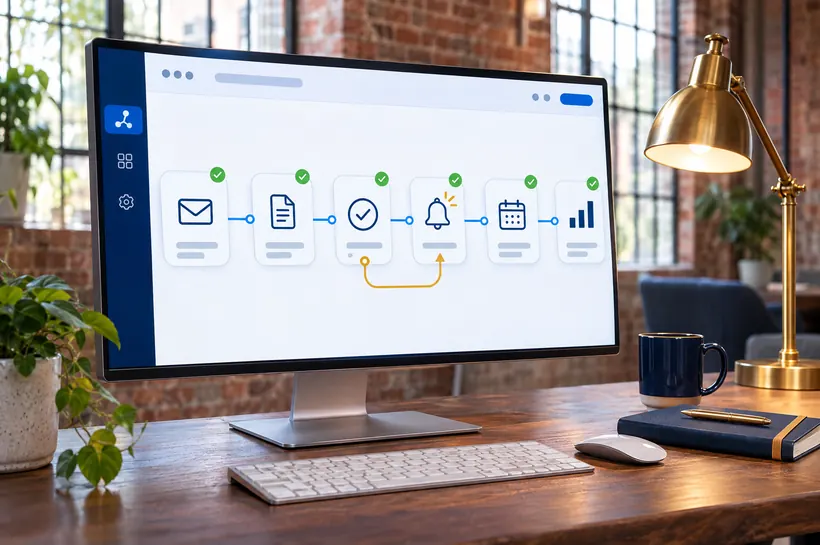
Whatever we do for you here reports back to one place, alongside everything else. No separate portal, no waiting for a monthly PDF: just the current state of things, in plain English.

See the whole pane
Your business/ ai & automation
Illustrative view

Good questions

Asked often.
Answered plainly.

Something we haven’t covered? Ask us directly

iDo we need Copilot licences for everybody?

No. Most businesses begin with a small pilot group in roles that write, summarise and search a lot, then expand once the value is clear.

iiIs our data used to train AI models?

Microsoft states that prompts, responses and the data Microsoft 365 Copilot accesses are not used to train its foundation models, and that your data stays within your Microsoft 365 boundary. Part of our job is making sure your own permissions are equally sound.

iiiWhat do we need before we can start?

An eligible Microsoft 365 plan for each person who’ll use it, and permissions that are in reasonable order. We check both first. If you’re not on the right plan, we’ll explain the options.

ivHow do we know it’s worth the money?

By measuring it. We agree what good looks like before the pilot starts, review usage at the end and recommend adding, holding or removing licences accordingly.

Talk to us

Ready to see your IT clearly?

Tell us what you have today and what you’d like it to do. We’ll come back with a clear, plain-English answer and no obligation.

Start a conversation

Or email sales@itxuk.com
Already a customer? helpdesk@itxuk.com
Prefer to talk? Call 0330 236 9991 or a local number

An ITXpress consultant being welcomed with a handshake at a customer’s front door