



















Esc

↑↓ to move↵ to open

01Helpdesk & user support

A helpdesk that knows your name.

A UK team on the end of the phone and the inbox for every IT question your people have, from a forgotten password to a laptop that won’t behave.

An ITXpress support engineer on a headset, smiling as she talks a customer through a fix
Reach us
By phone or by email
Hours
Weekdays 9am to 5:30pm, with longer cover available
Priced
Per user, monthly
Fixed
Remotely first, on site when needed

Support for your people

Help from someone
who already knows the set-up.

Nobody rings IT support for fun. Something has stopped working, a deadline is close and the last thing anyone wants is to explain their business from scratch to a stranger reading from a script.

So we work the other way round. We learn your systems and the people who use them, and we keep notes the whole team can see. When someone gets in touch, we already know how your business is set up and what was fixed last time. The aim is always the same: one conversation, a clear answer and no chasing.

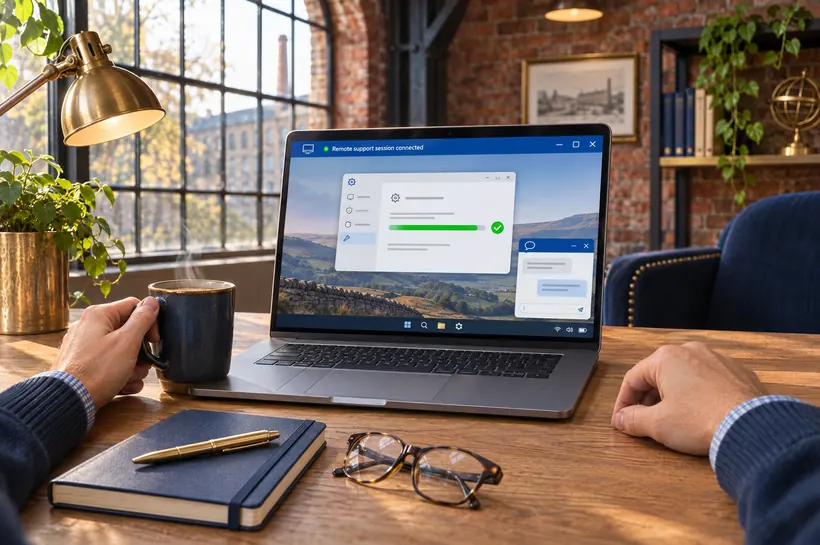
A laptop showing a remote support session in progress while its owner sits back with a mug of tea

What’s included

Seven things
the helpdesk does.

Support comes in two levels. User Support covers your people and their Microsoft 365. User & Device Support adds the device itself, with remote control and monitoring.

01

First-line helpdesk

Per user · monthly

The first place your people turn with any IT question, by phone or by email.

  • One team for every user query and issue
  • First, second and third-line engineers, so a harder problem is passed up, not back to you
  • Requests logged, prioritised and followed through
  • Plain English, whatever the question
  • Notes kept on your systems, so nobody starts from scratch

Hours and response targets
02

Microsoft 365 support

Included at both levels

Help with the Microsoft tools your team has open all day.

  • Entra ID accounts and sign-in
  • Exchange Online mailboxes and email
  • SharePoint sites and files
  • Anti-spam, including filtering we supply
  • Data recovery within Microsoft 365 applications
More on Microsoft 365 & Cloud
03

Starters, leavers & changes

Included at both levels

Accounts and licences kept in step with your team.

  • New starters added, with the right licences and features
  • Leavers removed cleanly
  • Features added and removed as roles change
  • Licence management, so you only pay for seats in use
04

Everyday troubleshooting

Included at both levels

The things that stop someone working, picked up and resolved.

  • Email that won’t send, sync or arrive
  • Microsoft 365 connectivity problems
  • Policies that block something they shouldn’t
  • Software errors and exceptions
  • Password resets and account lockouts
05

Remote fixes

With User & Device Support

We connect to the device and put the problem right while you watch.

  • Remote control of desktops, laptops and other devices
  • Hardware and software issues on the device itself
  • Software updates and patches applied for you
  • Antivirus and firewall managed on every device

Good to know: User Support on its own is delivered by phone and email. Remote control, monitoring and hardware support come with User & Device Support.

More on device management
06

Guidance & good habits

Included at both levels

Advice that helps your team get more from what you already pay for.

  • Best-practice guidance on Microsoft 365 tools and services
  • Answers to the everyday “how do I…?” questions
  • Sent in writing, so it can be kept and shared
07

On-site visits

Per call-out or day rate

An engineer at your premises when a remote fix isn’t enough.

  • Standard and specialist engineers
  • In hours or out of hours
  • Call-outs for faults that need hands
More on engineers and call-outs

A typical week

The questions
people actually ask.

Nothing here is unusual, which is the point. These are the requests that fill a helpdesk, and the ones that cost a business time when nobody owns them.

  • 01

    “I’m locked out.”

    Password reset, account unlocked and the cause checked, so it doesn’t happen again tomorrow.

  • 02

    “We’ve a new starter on Monday.”

    Account, licence and mailbox set up, with the right features switched on before they arrive.

  • 03

    “My email has stopped syncing.”

    Mailbox, connection and policy checked in turn until the mail is flowing again.

  • 04

    “I’ve deleted the wrong file.”

    Recovered from within Microsoft 365 where it can be, with a pointer on where to look next time.

  • 05

    “Is this email genuine?”

    Looked at properly rather than guessed at, with advice on what to do with it.

  • 06

    “Someone is leaving on Friday.”

    The account removed on the day and the licence freed up, so you’re not paying for an empty seat.

Side by side

Two levels of support.

Both give your people a helpdesk. The difference is whether we look after the device as well.

CapabilityUser SupportUser & Device Support
Helpdesk by phone and emailIncludedIncluded
Microsoft 365 and account supportIncludedIncluded
Starters, leavers and licence changesIncludedIncluded
Best-practice guidanceIncludedIncluded
Remote control to fix issuesNot includedIncluded
Device monitoring and alertsNot includedIncluded
Updates and patch managementNot includedIncluded
Hardware fault supportNot includedIncluded
Antivirus and firewall managementNot includedIncluded

When you get in touch

What happens next.

  1. 01

    Get in touch

    Call us or email the helpdesk. Tell us what’s happening in your own words; no jargon needed.

  2. 02

    Logged and prioritised

    Your request is logged against your business and given a priority and an owner, so it can’t quietly go missing.

  3. 03

    Fixed

    We put it right remotely where we can. If the job needs hands, we arrange for an engineer to come to you.

  4. 04

    Confirmed

    We check with you that it’s working before the request is closed, and it shows on your pane.

Hours & response targets

When we’re here,
and how quickly we move.

Every incident is given a priority when it comes in, and every priority has a target. They’re published here, so you know what to expect before you need us.

  • Standard hours

    9am to 5:30pm

    Monday to Friday

    First, second and third-line support.

  • Extended hours

    8am to 6:30pm

    Monday to Friday

    First, second and third-line support, with an earlier start and a later finish.

  • 24/7 service desk

    24 hours a day

    Seven days a week

    Available for businesses that need cover at any hour.

Response targets, by priority

Initial assessment is how quickly an engineer looks at the incident. Target fix is what we aim for, and “at most” is the longest it should take.

PriorityWhat it meansInitial assessmentTarget fixAt mostUpdates
P1A critical system outage affecting all of your operations, across every site.15 minutes4 hours8 hoursUp to every 3 hours
P2A critical system outage affecting some of your users, or part of a managed application or managed infrastructure.15 minutes8 hours1 dayUp to every 7 hours
P3A non-critical incident affecting some of your users, with no workaround in place.1 hour8 hours5 daysBy email, on the ticket
P4A non-critical incident affecting some of your users, with a workaround in place, so service to your customers carries on.1 hour24 hours20 daysBy email, on the ticket
P5Planned work: installs, moves, additions and changes.1 hour48 hours20 daysBy email, on the ticket

These are the targets we work to for each priority. Times are measured in working hours, so the clock runs during your support hours: standard, extended or 24/7, as set out in your agreement.

How a priority is set

We follow the ITIL approach, which asks two questions of every incident: how much of your business does it affect, and how soon does it need putting right? Impact and urgency together give the priority.

Impact

High
A large number of your staff, sites or customers are affected, with a likely financial or reputational cost.
Medium
A moderate number of staff or customers are affected, or a single site can’t communicate.
Low
A few people are affected and work carries on, with some extra effort.

Urgency

High
Several sites or several key people are affected, or a small risk could grow into a major incident.
Medium
One site has lost a service, such as its phones, or one key person is affected.
Low
There’s no direct effect on your ability to operate, and the work held up isn’t time-sensitive.
Impact and urgency, combined
Impact
UrgencyHighMediumLow
HighP1P2P3
MediumP2P3P4
LowP3P4P5
High impact and high urgency make a P1. The less of the business an incident touches, and the longer it can wait, the lower the priority.

On your pane

Managed IT,
in plain sight.

Whatever we do for you here reports back to one place, alongside everything else. No separate portal, no waiting for a monthly PDF: just the current state of things, in plain English.

See the whole pane
Your business/ managed it
Illustrative view

Good questions

Asked often.
Answered plainly.

Something we haven’t covered? Ask us directly

iWhat hours is the helpdesk open?

Standard hours are Monday to Friday, 9am to 5:30pm. Extended hours run from 8am to 6:30pm, Monday to Friday, and a 24/7 service desk is available for businesses that need cover at any hour. First, second and third-line engineers are on hand throughout standard and extended hours.

iiHow quickly will you respond?

It depends on the priority. A critical outage, P1 or P2, gets an initial assessment within 15 minutes, with a target fix of four hours for a P1 and eight for a P2. Lower priorities are assessed within an hour. All of these times are measured in working hours, so the clock runs during your support hours. The full table of targets is further up this page.

iiiWhat’s the difference between the two levels?

User Support gives your people a helpdesk for Microsoft 365, accounts and everyday software questions, delivered by phone and email. User & Device Support adds the device: remote control, monitoring, patching, hardware faults and security management.

ivDo you support printers and other hardware?

User Support covers software and accounts; hardware, including printers and peripherals, sits outside it. Hardware faults on desktops, laptops and other user devices come under User & Device Support. Tell us what you have and we’ll confirm in writing what’s covered.

vIs on-site support included?

Support is remote first, because that’s usually the fastest fix. On-site visits are arranged when a job needs hands, and are charged per call-out or by the day.

viCan we use your helpdesk alongside our own IT person?

Yes. Some businesses use us as the first line and keep their own person for projects; others do the reverse. We agree who does what at the start.

viiWill we deal with the same people?

That’s the point. We work closely enough with our customers to know their systems and the people who use them. You should never have to explain your business twice.

Talk to us

Ready to see your IT clearly?

Tell us what you have today and what you’d like it to do. We’ll come back with a clear, plain-English answer and no obligation.

Start a conversation

Or email sales@itxuk.com
Already a customer? helpdesk@itxuk.com
Prefer to talk? Call 0330 236 9991 or a local number

An ITXpress consultant being welcomed with a handshake at a customer’s front door